How to Tag SierraPhotoNYC in your post:
- Create your post as usual with your nature-related photo.
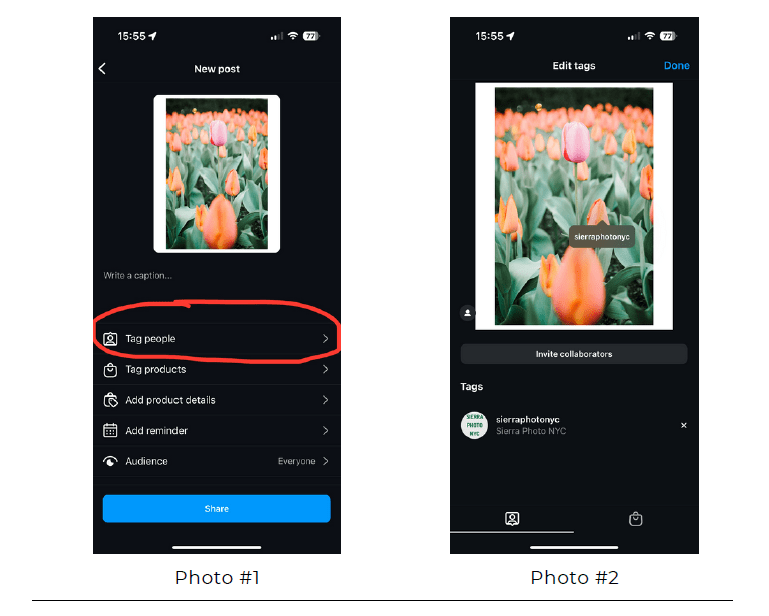
- Before sharing, tap “Tag People.” See Photo #1 below.
- Tap on your photo.
- When the search bar appears, type in sierraphotonyc. Tap on the name, and your post will then look like Photo #2 below.
- Publish your post.
By tagging us directly, you’ll ensure that our moderators can see and consider your photo for sharing. Your photos may also appear in these newsletters. We encourage all members to share their nature photos, and we thank you for being part of our community!
 Sierra Club Photo NYC